
 guy
Custom website design services build your site from scratch around your goals, brand, and the way your visitors actually behave, instead of squeezing you into a pre-made template. For most homeowners starting a blog, a design portfolio, or a small home-related business, the right choice comes down to three things: what you want the site to do, what you can afford, and how much support you’ll need after launch. Providers like Web loft designs offer this kind of tailored work, and plenty of freelancers and agencies do too, so the real challenge is knowing how to compare them without overspending or getting stuck with a site you can’t update.
Think of it like a kitchen remodel. A custom job fits your space perfectly, but it costs more and takes longer than off-the-shelf cabinets, so you want to know exactly what you’re paying for before anyone picks up a hammer.
Key Takeaway: Define your goals and budget before you contact anyone. Then judge every provider on three points: how well their portfolio matches your style, how clearly they communicate, and what’s included after launch, like training, updates, and support.
The sections below explain what you’re buying, the factors that matter most, how the main service types compare, and the mistakes that tend to cost people the most.
What Custom Website Design Actually Means (And When It’s Worth It)
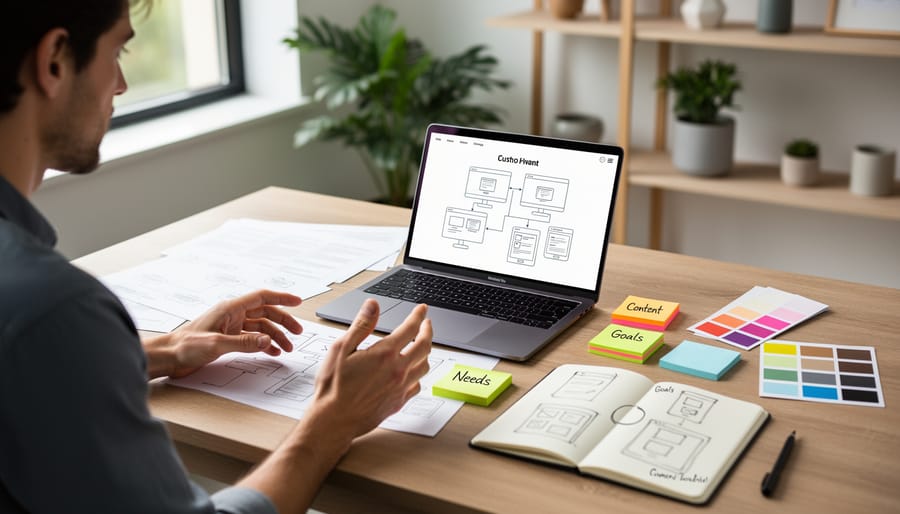
Custom website design services mean someone builds your site around what you actually need, rather than asking you to squeeze your content into a ready-made layout. The process usually runs through five stages. First comes planning, where you map out your pages, goals, and audience. Then visual design, which covers colors, fonts, and how everything looks. Next is building, where the design becomes a working site. After that, testing to catch broken links and glitches, and finally launch, when the site goes live.
A template is different. It’s a pre-made design you fill with your own text and photos. Templates are fast and affordable, but you’re limited to whatever layout the template creator imagined. Custom design flips that: the layout follows your content.
Here’s where that matters. Say you’re a DIY blogger who posts step-by-step tutorials, product reviews, and before-and-after photos. A basic template might handle a plain blog, but it may struggle to show a review rating box next to a materials list. Or picture an interior designer who needs a gallery-style portfolio with large, filterable room photos. That kind of layout is hard to pull off with a stock design.
Two terms are worth knowing. Responsive design means your site automatically adjusts to look good on phones, tablets, and computers. A content management system, or CMS, is the dashboard that lets you add posts and photos yourself without touching code.
So when is custom worth it? Consider it if you have specific features in mind, want a distinctive look, or expect your site to grow. If you’re simply sharing a few posts or testing an idea, a good template is often perfectly fine.
Key Buying Factors to Weigh Before You Hire
Your Goals and Content Needs
Before you talk to any designer, get clear on what your site actually needs to do. Are you showing off finished projects, like a kitchen remodel gallery? Publishing step-by-step DIY tutorials? Posting honest product reviews? Collecting leads for your repair or landscaping business? Or selling products directly? Each goal changes the size and shape of the job.
A simple portfolio might need five or six pages. A blog packed with tutorials and reviews needs search, categories, and an easy way for you to add posts. A shop needs product pages, a cart, and secure checkout. More features mean more design time and more cost.
Grab a notebook and write a quick wish list. Split it into “must-haves” (like a photo gallery and a contact form) and “nice-to-haves” (like a newsletter signup). Add a few sites you admire and note what you like about them. Handing a designer that list up front saves time, keeps quotes accurate, and helps you avoid paying for features you’ll never use.
Budget, Pricing Models, and What’s Included
Pricing for custom website design usually comes in three shapes. A flat project fee gives you one total for the whole build, which makes budgeting simple. Hourly billing suits small tweaks or unclear scopes, but costs can creep up if the project grows. Some designers offer a monthly subscription that bundles design, hosting, and updates into one predictable payment, which is handy if you’d rather not manage the technical side yourself.
If you’re used to planning around big numbers, the habit carries over nicely. Just as a budget breakdown helps you see where renovation money goes, and an addition cost guide shows what’s covered before work begins, you want a clear line-by-line quote for your website too. Vague quotes are where surprises hide.
Before you sign anything, ask these questions:
- What exactly is in the quote, including hosting, a domain, and a mobile-friendly design?
- How many revision rounds are included, and what does an extra round cost?
- Will I get training so I can update pages and add posts myself?
- Who owns the site and its content once the project is finished?
- What ongoing fees apply for hosting, maintenance, or support?
Getting these answers in writing keeps everyone on the same page and makes it much easier to compare providers fairly.
Portfolio, Reviews, and Communication Style
Start with the portfolio, since it shows what a designer can actually deliver. Look for sites that load quickly, read clearly on your phone, and feel like they belong to the client rather than the designer. If you’re after renovation portfolio inspiration, renovation portfolio inspiration from well-curated accounts can help you decide which visual styles you actually like before you start comparing designers.
Next, read testimonials with a skeptical eye. Vague praise like “great work!” tells you little. Better reviews mention specifics, such as meeting deadlines, answering questions, or fixing problems quickly. If a designer lists past clients, a quick message asking about their experience is worth the effort.
Finally, pay attention to how a designer communicates before you hire. Do they reply promptly? Do they explain terms like “hosting” or “responsive layout” in plain English, or bury you in jargon? A designer who makes you feel comfortable asking questions now will be far easier to work with when your site is live.
Ease of Use, Mobile Experience, and Site Speed
You shouldn’t need a developer on speed dial every time you want to swap a photo or fix a typo. Ask whether you’ll get a simple editing dashboard (a content management system, or CMS) and a quick walkthrough on how to use it. If you plan to post tutorials or project updates, this matters a lot.
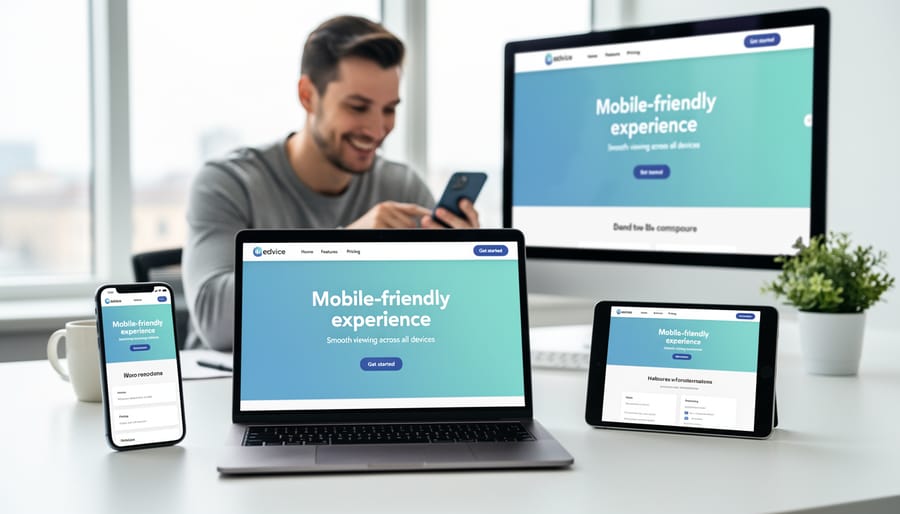
Phones come next. Most people browse renovation ideas on their phones, often while standing in a hardware store aisle. Ask to see the site on your own phone before launch, and tap every menu and button. Text should be readable without pinching, and photo galleries should still look great.
Then there’s speed. Big photos and step-by-step tutorials can slow a page to a crawl, and visitors won’t wait around. Research shows site speed affects conversion meaning slower pages lose more visitors. A good designer will compress images and keep the code lean without making you sacrifice beautiful visuals.
Types of Custom Website Design Services Compared
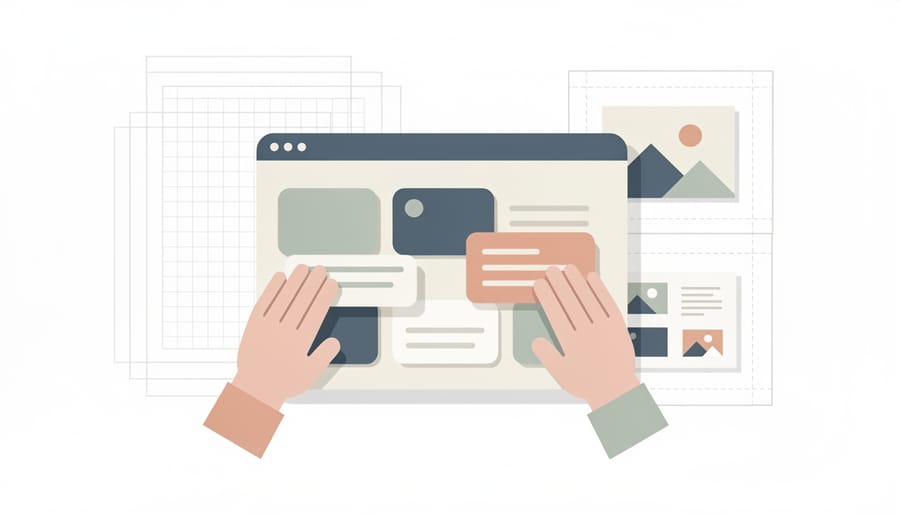
Once you know what you need, the next question is how to get it built. There are four main routes to a custom site, and each trades off cost, control, and speed in its own way.
| Service type | Best for | Level of control | Your involvement | Main consideration |
|---|---|---|---|---|
| Freelance designer | Bloggers and small businesses wanting a personal touch | High | Moderate: regular check-ins and feedback | One person’s availability and skill range |
| Design agency | Larger projects with many features or a bigger team | High, but shared with a team | Lower: a project manager handles the details | Usually the highest cost and a longer timeline |
| Done-for-you builder service | Owners who want a polished site fast | Moderate: limited by the platform | Low: you supply content and approvals | Less flexibility if your needs grow |
| Custom theme on a popular platform | Owners who want a unique look plus easy updates | Moderate to high | Moderate: you’ll likely manage content yourself | Quality depends on how well the theme is built |
A freelance designer is often the sweet spot for hobby bloggers and renovation documenters. You get direct communication and a design shaped around your voice. The catch is that one person handles everything, so timelines can slip if they get busy. Ask who covers things if they’re unavailable.
An agency brings a whole team of designers, developers, and project managers. That’s great for a growing contracting company with lots of pages and features, but you’ll pay for that structure, and small projects can feel like a low priority.
Done-for-you builder services sit in the middle. A team sets up the site on a platform for you, which is quick and low-effort. If you’re planning something like a photo-heavy portfolio showing off modern home decor projects, check that the platform’s gallery tools won’t box you in later.
The hybrid route, a custom theme on a popular platform, gives you a one-of-a-kind look while keeping a familiar dashboard for updating posts yourself. It works well if you plan to publish often, whether that’s step-by-step tutorials or a running log of home remodeling ideas you’ve tried.
A good rule of thumb: the less time you want to spend, the more you’ll typically pay and the less you’ll control day to day.
Which Option Fits You? Recommendations by Situation
The right choice depends less on which service is “best” and more on how your situation lines up with a service type. Here’s how I’d think about it for the most common scenarios on a home-focused site.
- Hobby DIY blogger on a tight budget: start with a template or a custom theme on a popular platform, since your words and photos matter more than a one-of-a-kind layout.
- Renter or homeowner documenting a renovation: a lightly customized template or hybrid theme works well, because you need a simple, easy-to-update journal rather than complex features.
- Independent interior designer showcasing visual work: hire an experienced freelancer or agency with strong gallery design, because your site is your first impression and the portfolio is the product.
- Small repair or landscaping business: choose a freelancer or done-for-you service that handles contact forms, service pages, and mobile layout, so customers can reach you quickly.
Let’s talk through the reasoning behind each pick.
If you’re a hobby blogger watching your spending, a template is often perfectly fine. Most blog visitors come for your tutorials and honest product reviews, not a bespoke design. Put your money into good photos and clear writing first, and consider a custom theme later if the blog grows.
For a renovation journey, the main need is posting updates easily, such as before-and-after photos, material lists, and lessons learned. A hybrid approach gives you a polished look without a big project fee, and you can usually manage updates yourself. If the site will only live for the length of your project, a full custom build is probably more than you need.
Interior designers are the clearest case for going custom. Photography-heavy galleries, fast-loading image grids, and a layout that matches your personal style are hard to get from a generic template. A provider with a strong portfolio of visual work is worth paying for here, and it’s worth confirming you’ll be able to swap in new projects without calling for help.
For a small repair or landscaping business, function beats flair. Visitors want to see what you do, where you work, and how to book you. A freelancer who understands local service businesses can set this up cleanly, and a template with good customization might even do the job at the start.
None of these picks is a rule. If a template meets your goals and you’re comfortable with it, there’s no shame in keeping things simple. Choose custom when a template genuinely holds you back, not because it sounds more impressive.
Common Mistakes to Avoid When Hiring a Web Designer

Hiring a web designer is exciting, but a few common slip-ups can turn a great project into a headache. The good news: each one has an easy fix.
Skipping the planning step. Jumping straight to colors and layouts usually means expensive changes later. Fix it by writing a simple wish list first: the pages you need, the features you want, and a few sites you like.
Choosing on price alone. The cheapest quote often leaves out revisions, training, or support, and you end up paying for them separately. Compare what each quote actually includes, not just the bottom line.
Not clarifying who owns the site. Some designers keep control of the domain, hosting account, or design files, which can leave you stuck if you ever want to move on. Ask about ownership upfront and make sure it’s spelled out in your contract.
Ignoring mobile and speed. Most visitors browsing photos and tutorials will be on their phones. Ask to see sample sites on a phone and check how quickly they load before you commit.
Overloading the design with features you don’t need. Sliders, pop-ups, and fancy animations can slow things down and distract from your content. Start with the essentials and add extras later, once you know your visitors actually want them.
Forgetting about maintenance after launch. A site needs updates, backups, and security checks to stay healthy. Before signing, ask what ongoing support is available and whether you can handle simple edits yourself. Planning for this early keeps your site running smoothly long after the launch party is over.
Custom Website Design Services: Common Questions
Starting out, most people ask the same handful of things. Here are quick, plain answers to help you feel ready for those first conversations.
How long does a custom site take?
It depends on the size of the site and how quickly you give feedback and content, but a simple site often takes several weeks while larger ones can take a few months. Ask any provider for a timeline up front and what could slow it down.
Do I need to know any code?
No. A good designer handles the technical side and explains things in everyday language. If someone leans on jargon and can’t clarify it, that’s a sign to keep looking.
Can I update the site myself afterward?
Usually yes, if you ask for a site built on an easy-to-use editing system and request a short walkthrough at handoff. Confirm this before you sign so you aren’t paying for every small text or photo change.
Is custom design worth it for a small blog?
Not always. If you’re just getting started, a polished template can work well, and you can move to custom later once you know what your content needs.
Before you meet a designer, gather a few simple things: your wish list of pages and features, a handful of sites you like (and why), your rough budget, and any photos, logos, or written content you already have. Having these ready makes conversations faster and quotes more accurate, and it helps you compare providers fairly.
Choosing a web designer really comes down to three things: knowing what you want your site to do, comparing providers on the factors that matter to you, and picking the kind of service that fits your comfort level. Whether you’re sharing renovation tutorials, showing off a design portfolio, or promoting a small repair business, those same basics will steer you right.
Try not to let the process feel bigger than it is. A great website doesn’t need every bell and whistle, and it doesn’t have to be built overnight. You can start small, grow it as your projects and confidence grow, and ask plenty of questions along the way. Any good designer will be happy to answer them in plain English.
So grab a notebook and jot down your simple wish list: what you want visitors to see, do, and learn. Then reach out to two or three providers and have a few friendly conversations. You’ll be surprised how quickly the right fit becomes clear.